Buying a wall printer is about more than comparing print resolution, printhead models and price.
A machine can produce an impressive demo mural and still be the wrong choice for your business if it struggles with your typical walls, takes too long to set up, requires constant white-ink maintenance or leaves you waiting weeks for replacement parts.
Before buying a wall printer, you should be able to answer three bigger questions:
Can this machine handle the projects I plan to sell?
Can I realistically transport, operate and maintain it?
Can the supplier support the machine after I pay?
The following 15 questions will help you evaluate those points before you place an order.
1. Can This Wall Printer Handle the Projects You Actually Want to Sell?
Do not start with price.
Start with your customers, wall surfaces and project types. A machine that is ideal for smooth indoor murals may not be the best configuration for brick, glass, dark walls or outdoor projects.
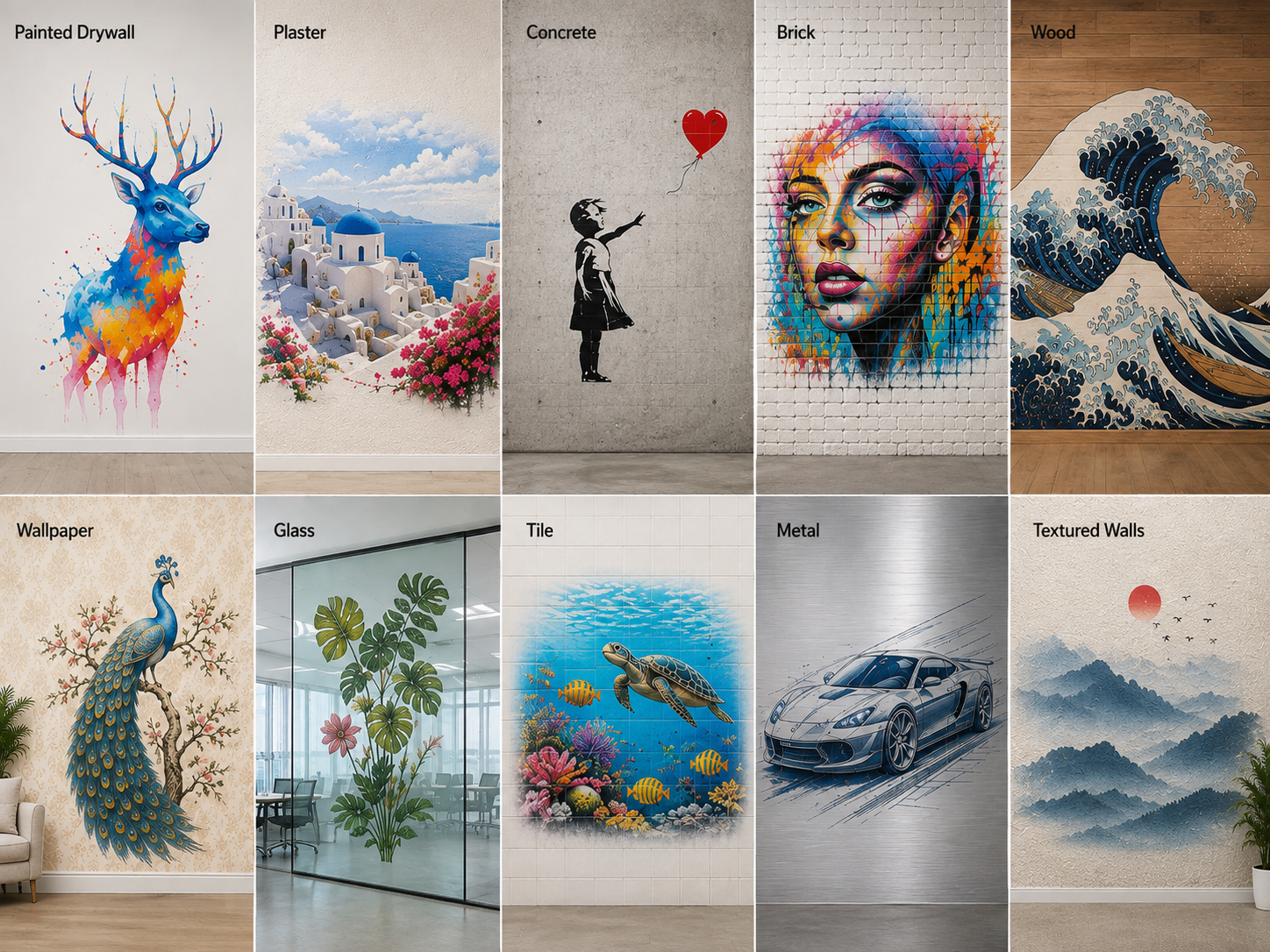
1. What wall surfaces can the printer actually print on?
“Prints on almost any wall” is not a sufficient answer.
Tell the supplier which surfaces you expect to encounter:
Painted drywall.
Plaster.
Concrete.
Brick.
Wood.
Wallpaper.
Glass.
Tile.
Metal.
Textured walls.
Then ask which can be printed directly and which require primer, coating or additional surface preparation.
Surface condition matters too. Loose paint, dust, moisture, severe texture and uneven sections can affect adhesion and printing accuracy even when the material itself is technically compatible.
A supplier should explain both what can be printed and what preparation is required.
If most of your work will involve several different materials, this should heavily influence which wall printing machine configuration you choose.
2. Which printhead and ink system are best for my applications?
Do not choose a printer simply because one model has a newer or more expensive printhead.
Ask why that printhead is appropriate for your work.
The questions that matter are:
How close does the printhead need to operate to the wall?
How well does it handle small variations in wall distance?
What level of detail can it realistically produce?
What is the replacement cost?
How easy is it to obtain a replacement?
Also ask about the ink system.
Water-based and UV-curable configurations serve different applications. Water-based pigment ink can be practical for many absorbent indoor walls, while UV-curable ink offers greater flexibility when printing on non-porous materials or when white ink is required.
The correct combination depends on your target jobs—not simply on which specification looks better on paper.
3. Do I really need white ink, and how is it maintained?
White ink is valuable, especially for:
Dark walls.
Glass.
Metal.
Tile.
Transparent surfaces.
Designs requiring an opaque white base.
But white ink also adds maintenance.
Its pigment can settle if the ink remains stationary for long periods, so a reliable white-ink system should have appropriate circulation or agitation.
Ask exactly how the system works.
Does it circulate white ink automatically?
Does circulation reach the full ink path or only the tank?
What happens if the machine is unused for several days?
What cleaning procedure is required before starting again?
How much white ink is normally consumed during maintenance?
If most of your business will be simple murals on light-colored interior walls, you should understand whether white ink is genuinely necessary before adding complexity to the machine.
4. What are the realistic print speed, print height and image quality?
Do not compare machines using maximum numbers alone.
A supplier may advertise a very high printing speed, but that speed may apply only to a draft mode you would rarely sell to customers.
Ask for realistic output at the quality level you plan to use commercially.
For example:
What speed should I expect for a normal customer mural?
What speed should I expect for high-detail artwork?
How does white ink affect production time?
What is the real printable height?
Can the machine continue horizontally for long murals?
How much setup and repositioning time should I add to a project?
The original draft correctly identifies usable wall coverage and alignment as more important than simply quoting the maximum mechanical height of the machine.
A good supplier should distinguish theoretical machine speed from real job-site productivity.
5. How does the machine handle uneven walls and long murals?
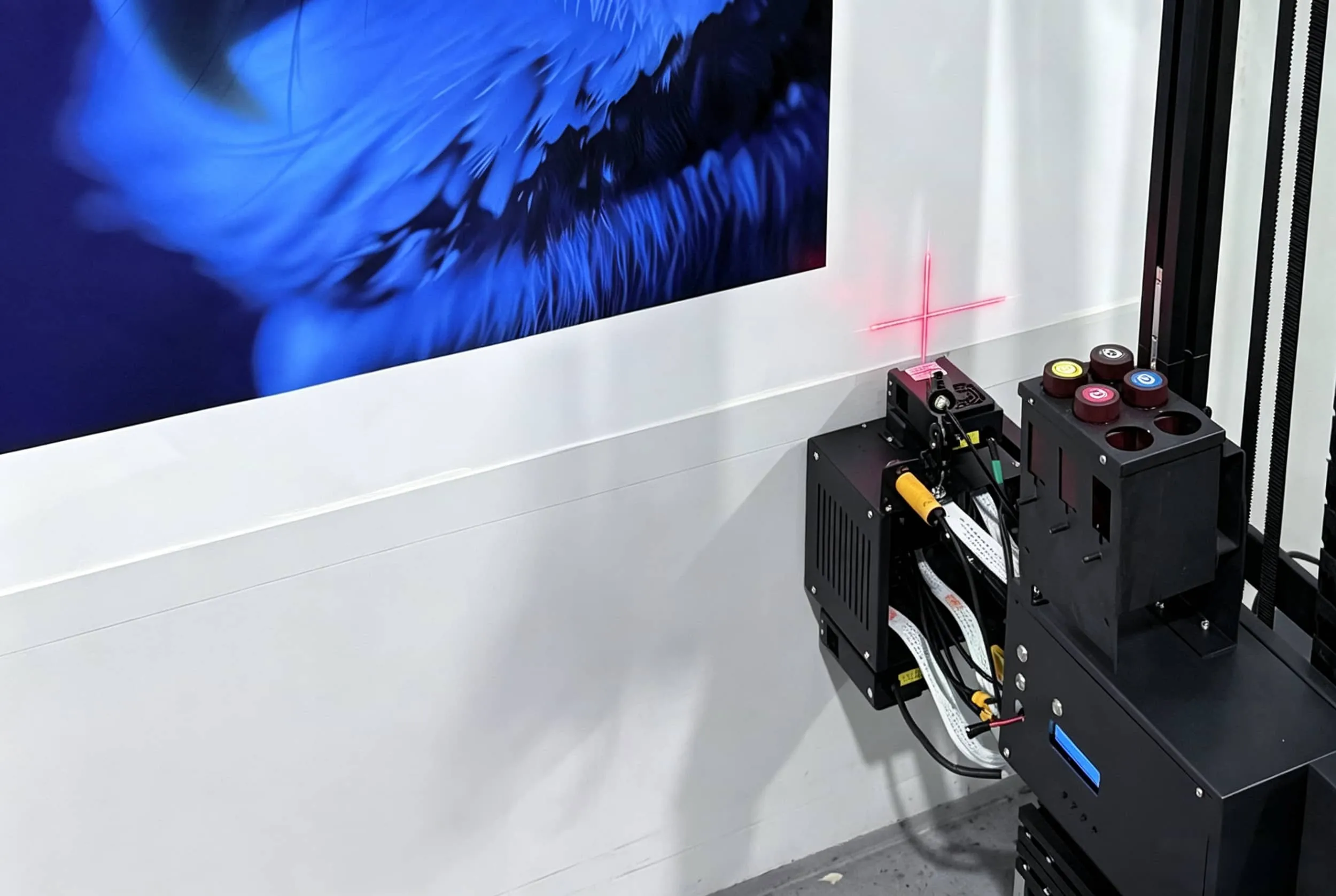
Wall distance control is one of the most important parts of direct wall printing.
If the printhead moves too far from the wall, image sharpness can decline. If it gets too close, the wall can create a risk for the printhead.
Ask how the machine detects changes in the wall surface.
Does it use automatic distance sensing?
Can the printhead position adjust automatically?
What happens when the wall has a small bump or recess?
How much surface variation can the system handle?
For long murals, also ask how the machine is repositioned.
A professional vertical wall printer should allow the operator to continue a design across a long wall without obvious seams or misalignment.
Do not rely only on a short factory demonstration.
Ask to see a real multi-section mural.
2. What Will It Be Like to Own and Operate the Machine?
Once you know the machine can print the jobs you want, evaluate the complete workflow.
Wall printing is an on-site service business. Transport, setup, calibration, cleaning and maintenance can affect your profit just as much as print speed.
6. Can one person transport, set up and operate the printer?
This is especially important for a startup.
Ask for:
Machine dimensions.
Net weight.
Packing dimensions and weight.
Number of major modules.
Assembly process.
Setup time.
Transport requirements.
Do not only watch a video of the machine already standing beside a wall.
Ask the supplier to show the complete process:
Packed machine → unloading → assembly → calibration → first print.
If you plan to run the business alone, make sure one person can realistically handle the normal workflow.
A portable machine that fits your vehicle and can be assembled efficiently can be more valuable than a faster machine that requires extra labor on every job.
7. What power and job-site conditions does the machine require?
Wall printers work at customer locations, so electrical compatibility matters.
Confirm the required:
Voltage.
Frequency.
Maximum power consumption.
Grounding requirements.
Extension cable limitations.
Ask whether the standard configuration is compatible with electricity in your target country.
Also check the recommended temperature and humidity range.
Inkjet printing can become less stable when the operating environment is excessively hot, cold, dusty or humid.
You do not need laboratory conditions at every customer site, but you should understand the machine's normal operating range before accepting difficult jobs.
8. How easy is the software and file-preparation workflow?
The machine itself is only one part of the workflow.
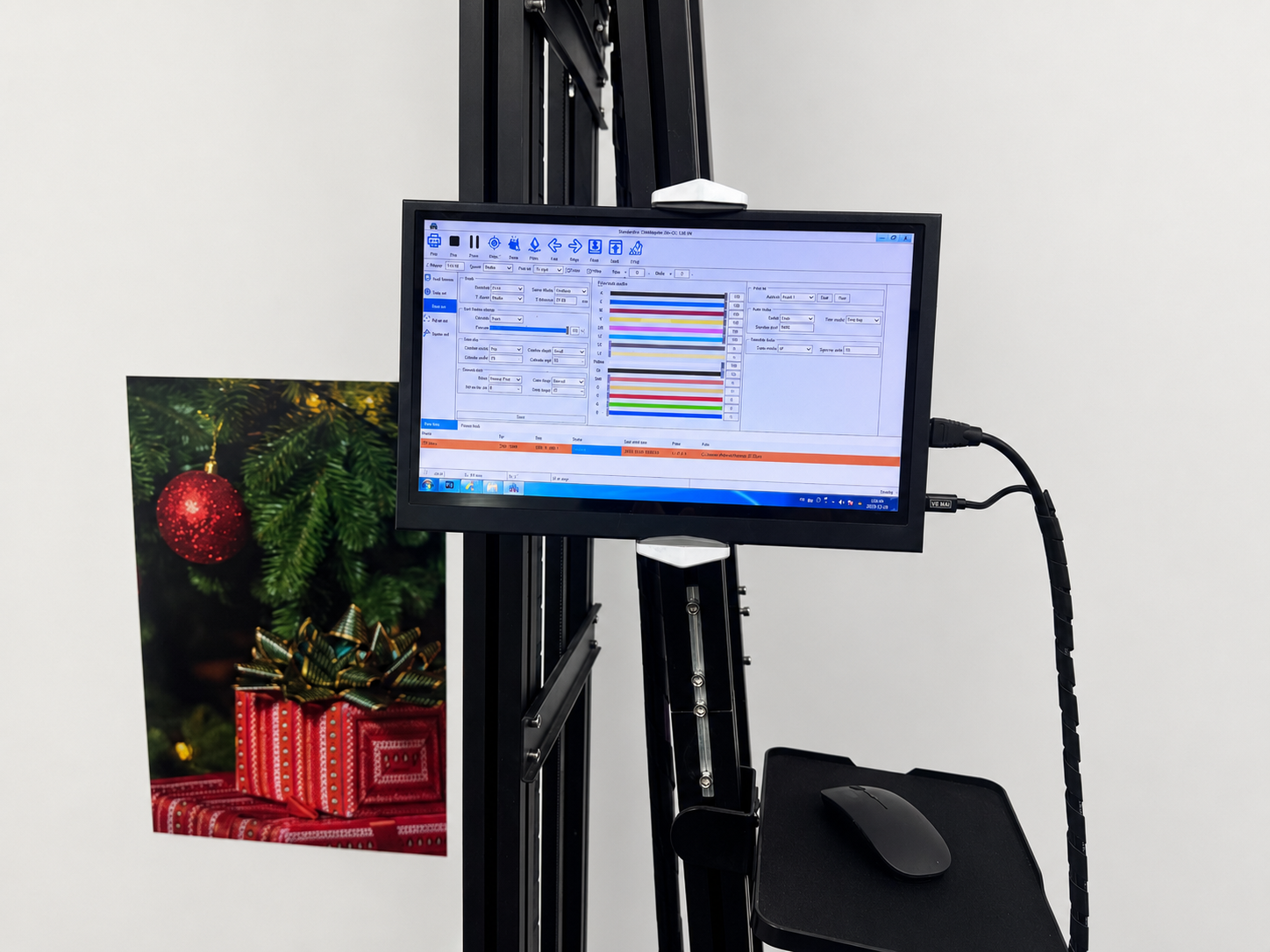
Ask what software is included and what happens between receiving a customer's artwork and pressing Print.
Can the software handle common image formats?
How do you set mural dimensions?
How do you split a large mural into sections?
How is the starting position set?
How is white ink configured?
Can frequently used settings be saved?
How difficult is calibration after moving the machine?
For a wall mural printer business, software that reduces setup errors can be more valuable than a small increase in mechanical printing speed.
Ask to watch a complete file-preparation demonstration rather than only seeing the final printing screen.
9. What daily maintenance does the wall printer need?
Ask this before buying, not after the first clogged nozzle.
Typical maintenance may involve:
Printhead nozzle checks.
Capping-station inspection.
Wiper cleaning.
Ink-line checks.
White-ink circulation.
Cleaning after long idle periods.
Keeping rails and sensors clean.
The exact routine depends on the machine and ink system.
Ask the supplier:
How many minutes does normal daily maintenance take?
What needs cleaning after every job?
What happens if the machine is unused for one week?
What consumables are required?
Which parts commonly wear out?
A good supplier should be able to give you a simple maintenance schedule.
If the instructions sound vague before purchase, troubleshooting is unlikely to become easier after purchase.
10. What does it actually cost to print one square meter?
Do not calculate profit from ink cost alone.
Your real variable cost can include:
CMYK ink.
White ink.
Cleaning fluid.
Maintenance ink consumption.
Primer or coating where required.
Protective varnish for some outdoor jobs.
Wear parts.
Travel.
Setup labor.
Artwork preparation.
The important question is not:
“How much does one liter of ink cost?”
It is:
“What does a normal square meter of the type of work I plan to sell actually cost me?”
Ask the supplier to calculate this using a real artwork file.
A large white-background mural, for example, can have a very different ink cost from a simple CMYK design on a white wall.
This is also where comparing only the advertised wall printer price becomes misleading. A cheaper machine with higher maintenance, ink consumption or downtime may cost more to operate over several years.
3. What Should You Ask the Supplier Before Paying?
The final five questions determine whether you are buying only a machine or a usable business tool.
For first-time buyers especially, sample testing, training, spare parts and technical support can matter more than small differences in headline specifications.
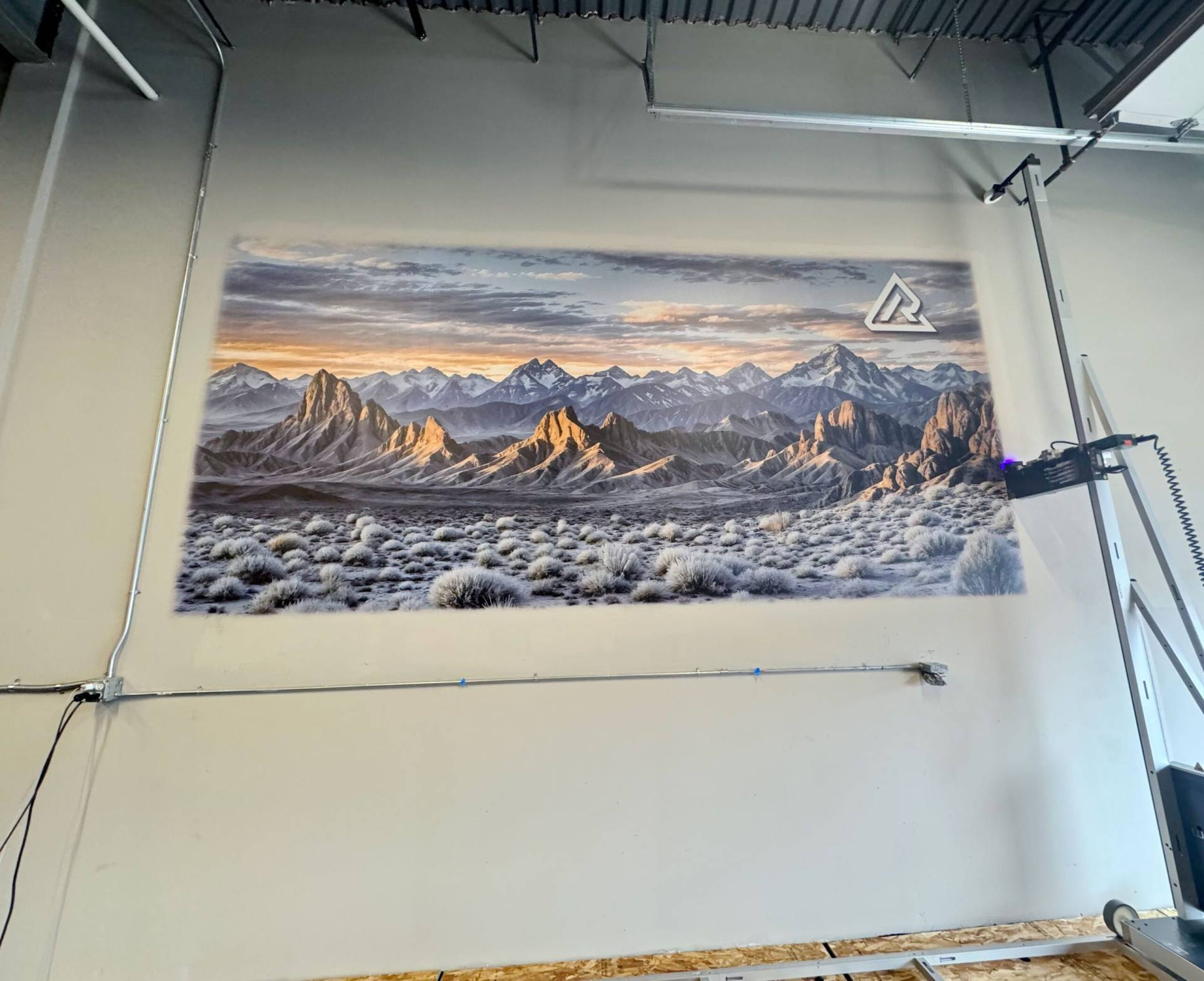
11. Will you print my actual artwork on my target wall material before I buy?
This is one of the most useful purchasing tests.
Do not rely only on the supplier's prepared samples.
Send them something similar to the projects you expect to sell.
For example:
A photographic mural.
Fine text and logos.
A design containing gradients.
Artwork requiring white ink.
A sample of your target wall material if possible.
Ask for close-up photos and a video of the actual print process.
If you plan to target unusual surfaces such as glass, brick, metal or textured walls, test those applications before paying.
A real sample can reveal much more than a specification sheet.
12. Can you show me real customers using the same model?
Ask for customer cases using the specific machine you are considering.
The original draft correctly recommends looking beyond controlled demo videos and asking for evidence of real-world output.
Useful evidence includes:
Customer businesses using the machine.
Long-term project photos.
Actual wall-printing videos.
Customer interviews.
Examples from climates or markets similar to yours.
You do not necessarily need confidential customer contact information.
But you should be able to verify that the model has been used outside the supplier's showroom.
13. What exactly is included in the quoted price?
Two machines with the same headline price may include very different packages.
Ask for an itemized quotation covering:
Machine.
Printhead.
Ink.
Software.
Computer or controller.
Rails or wheel system.
White-ink system.
Cleaning supplies.
Spare parts.
Training.
Packaging.
Shipping.
Insurance.
Import-related documentation.
Optional accessories.
The question should be:
“What else do I need to buy before I can complete my first paid job?”
That is your real startup cost.
For a first-time buyer, a complete package can sometimes be more useful than buying the cheapest machine and sourcing everything else separately.
14. What training, warranty, spare parts and technical support are included?
This should be one purchasing question because all four items determine what happens after delivery.
Ask how training works.
Is there live remote training?
Are operating videos included?
Will someone help with first setup and calibration?
Can a new operator receive training later?
Then ask what the warranty actually covers.
Does it include control electronics?
Motors?
Sensors?
Printhead damage?
Which items are considered consumables?
Finally, ask how spare parts are supplied.
The original material correctly identifies warranty, training and spare-parts availability as major purchasing considerations rather than minor extras.
A slightly cheaper direct to wall printer is not a bargain if a failed sensor or ink-system part leaves you unable to work for several weeks.
15. What will this machine cost me to own—and how many jobs do I need to break even?
The final decision should connect the machine to your actual business model.
You need three numbers:
Total startup investment.
Average contribution margin per project.
Expected number of paid projects per month.
A simple break-even calculation is:
Break-Even Jobs = Total Startup Investment ÷ Average Contribution Margin per Job
For example, do not calculate payback using the full selling price of a mural.
Subtract the costs directly associated with completing the project first.
Your calculation should consider:
Ink and consumables.
Travel.
Labor.
Surface preparation.
Marketing and customer acquisition.
Maintenance.
Payment fees.
Other recurring operating costs.
Also run several scenarios instead of assuming the machine will be fully booked immediately.
A conservative scenario might use a few jobs per month.
A normal scenario could reflect the workload you realistically expect after building a customer base.
A higher-volume scenario can show what happens if commercial projects and repeat customers grow.
The supplier can provide a calculator, but you should provide the assumptions.
Do not buy a machine because someone promises a three-month payback.
Buy it because the numbers still make sense when you use realistic prices, costs and sales volume.
Conclusion
The best wall printer is not automatically the machine with the highest resolution, fastest advertised speed or lowest purchase price.
It is the machine that fits:
Your target wall surfaces.
Your typical mural size.
Your transportation setup.
Your expected workload.
Your maintenance ability.
Your budget.
Your local market.
Before buying, focus especially on five things:
Real sample printing.
Surface and ink compatibility.
Realistic production speed and workflow.
Training, technical support and spare parts.
Total cost rather than machine price alone.
If a supplier cannot clearly explain those points, comparing another 100 DPI or a slightly lower price will not solve the bigger problem.
A professional wall printing machine should help you complete real customer projects reliably—not simply produce an impressive factory demo.
Before choosing a model, send WallPrintBox your typical wall materials, expected mural sizes, indoor or outdoor applications, target workload, delivery country and budget. The team can recommend a suitable configuration, arrange a sample print and provide an itemized quotation so you can compare the complete investment before purchasing.